Haunted Locations in San Francisco

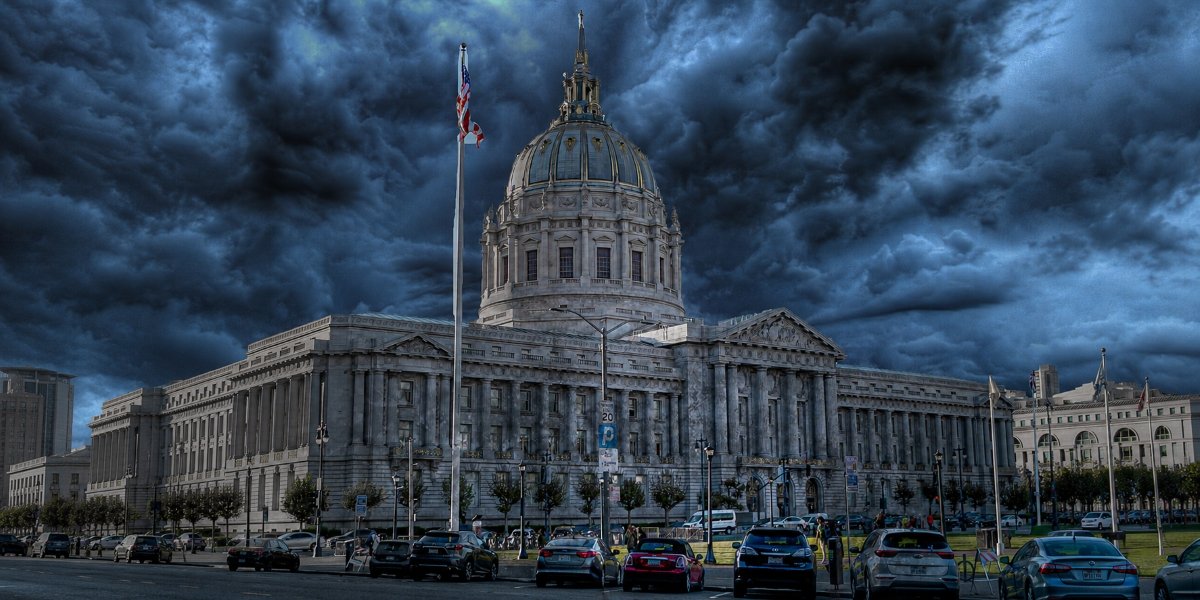
San Francisco is famous for its cable cars, steep hills, Victorian architecture, and breathtaking views of the Golden Gate Bridge. Yet beneath the city’s postcard-perfect charm lies another side of its history marked by devastating earthquakes, deadly epidemics, notorious prisons, tragic accidents, and mysterious disappearances. Over nearly two centuries, these events have given rise to countless ghost stories that continue to fascinate visitors and locals alike.
Whether you believe in the paranormal or simply appreciate a good story, San Francisco offers some of the most intriguing haunted locations on the West Coast. From the lonely prison cells of Alcatraz to elegant Victorian hotels where former residents have never checked out, these landmarks blend authentic history with enduring local legends. Here are five of the city’s most famous haunted destinations.
Alcatraz
No haunted tour of San Francisco would be complete without visiting Alcatraz, the infamous island prison that housed some of America’s most notorious criminals.
Long before it became a federal penitentiary, Alcatraz served as a military fortress and military prison. Between 1934 and 1963, it became home to hardened criminals including Al Capone, George “Machine Gun” Kelly, and Robert Stroud, better known as the “Birdman of Alcatraz.” Although designed as an escape-proof prison, the island gained an equally chilling reputation for unexplained encounters.
Visitors, former guards, and National Park employees have all reported hearing disembodied footsteps echoing through empty corridors, metal cell doors slamming shut without explanation, and eerie banjo music drifting from Cell Block D, despite there being no performers anywhere nearby.
One of the prison’s most unsettling legends surrounds a shadowy entity known simply as “The Thing.” Several correctional officers claimed they encountered a dark, glowing-eyed figure inside the isolation cells. One particularly disturbing account tells of a prisoner screaming through the night that a creature with glowing eyes was inside his cell. By morning, the inmate was found dead. While officials ruled the death a suicide, many guards privately questioned the explanation.
The abandoned hospital wing, solitary confinement area, and old utility tunnels continue to be hotspots for paranormal investigations. Whether these strange occurrences stem from imagination, acoustics, or something more mysterious remains one of Alcatraz’s greatest unanswered questions.
Queen Anne Hotel
From the outside, the Queen Anne Hotel appears to be one of San Francisco’s many beautifully preserved Victorian buildings. Inside, however, guests frequently report an unexpected and surprisingly gentle resident. Constructed in 1889 as the prestigious Miss Mary’s School for Girls, the building later became a luxury hotel while preserving much of its original architecture. According to local legend, the school’s former headmistress, Mary Lake, never truly left.
Unlike many haunted hotels whose ghosts are associated with frightening encounters, Mary Lake has earned a reputation as one of America’s friendliest spirits. Guests staying in Room 410, believed to have once served as her private office, have reported waking to neatly folded clothing, blankets tucked carefully around them during the night, and personal belongings mysteriously organized.
Others describe catching the scent of fresh flowers in otherwise empty hallways or glimpsing an elegantly dressed Victorian woman disappearing around corners. Hotel employees have shared stories of lights turning on by themselves, unexplained footsteps on empty floors, and elevators stopping without anyone pressing the buttons. Despite these reports, few describe the atmosphere as threatening.
Many visitors leave believing that if Mary Lake truly remains, she simply continues caring for the building and its guests just as she did more than a century ago.
Whittier Mansion
Towering above Pacific Heights stands the magnificent Whittier Mansion, a grand 30-room estate built in 1894 for mining magnate William Franklin Whittier, one of the gold hunters and gunslingers who forged San Francisco. Its elaborate architecture makes it one of San Francisco’s finest surviving Gilded Age homes.
One enduring legend claims that Whittier’s wife died tragically before she could fully enjoy the mansion, leaving her spirit forever tied to the home. Other versions of the story claim she was murdered under mysterious circumstances, though historians have found little evidence supporting the more sensational versions of the tale.
Nevertheless, ghost stories surrounding the mansion have persisted for generations. Witnesses describe seeing lights appear in windows long after the building has been closed for the evening. Others claim shadowy figures move behind curtains before disappearing entirely. Maintenance workers have reportedly heard footsteps echo through empty hallways and doors opening on their own.
Several visitors have also reported sudden cold spots, feelings of being watched, and unexplained whispers while touring the historic property. Whether these experiences result from suggestion or something less easily explained, the mansion remains one of San Francisco’s most enduring sources of paranormal folklore.
Nob Hill Inn
Perched atop one of San Francisco’s most famous hills, the elegant Nob Hill Inn offers luxury accommodations and, according to many guests, a few permanent supernatural residents. Originally built as a private mansion following the devastating 1906 earthquake, the building has since become one of the city’s best-known boutique hotels. Yet it is perhaps most famous for the mysterious figure known as the Wandering Bride.
Legend tells of Flora Summerton, a young woman whose wedding ended in tragedy before she could begin her married life. Today, guests occasionally report seeing a beautiful woman wearing a flowing white ball gown quietly descending staircases or gliding through the hallways before vanishing into thin air.
Staff members have shared accounts of unexplained piano music, phantom footsteps, and doors opening without anyone nearby. Some paranormal enthusiasts believe as many as twenty-two spirits reside within the inn, each connected to different chapters of the building’s long history.
While skeptics dismiss these stories as folklore, many visitors admit the elegant atmosphere feels especially mysterious after dark, when the quiet corridors seem almost frozen in another era.
San Francisco’s Most Haunted
San Francisco’s haunted reputation rests upon layers of genuine history filled with triumph, tragedy, ambition, and loss. Some experiences can be explained through psychology, architecture, or coincidence. Others remain paranormal mysteries that have persisted across generations.
Whatever you believe, these haunted landmarks remind us that history often leaves behind more than photographs and old buildings. Sometimes, according to the stories passed down through the years, it leaves behind spirits that still linger in the shadows. Make sure to join a Lizzie Borden Ghost Tour in San Francisco for an inside peek into San Francisco’s haunted history.